A companion for the daily walk with God.
Secret worship, family worship, self-examination, prayer, the catechism, and the Lord’s Day, gathered in one quiet place on your phone. Free, with nothing to buy and no ads.
Works on iPhone, Android, and your computer. Sign in with your email and your journal follows you.
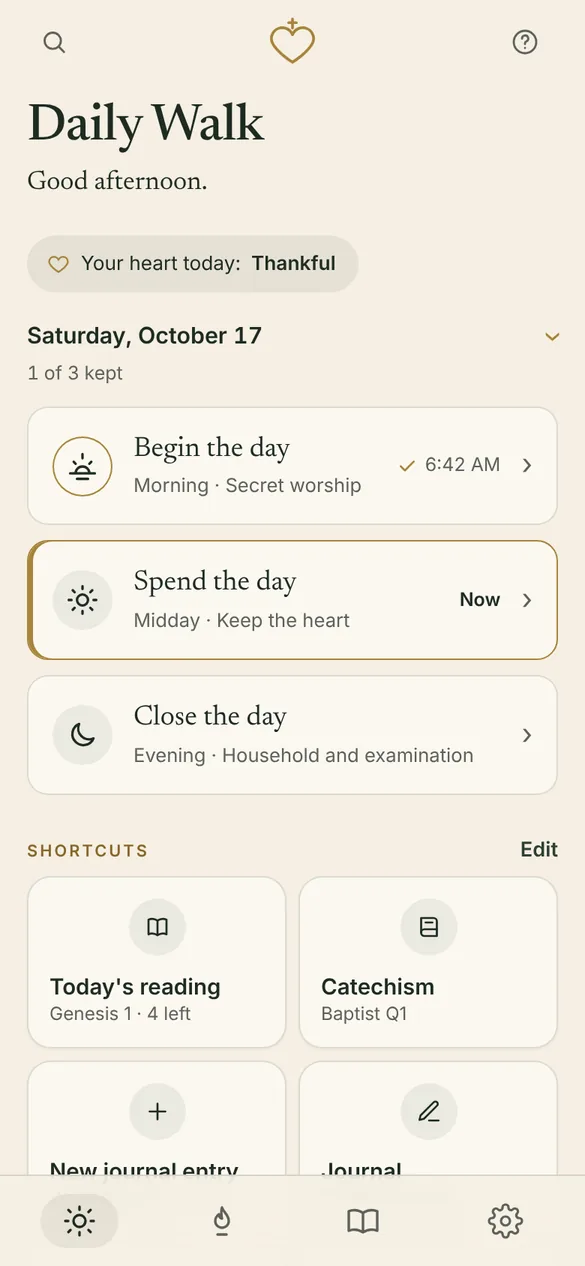
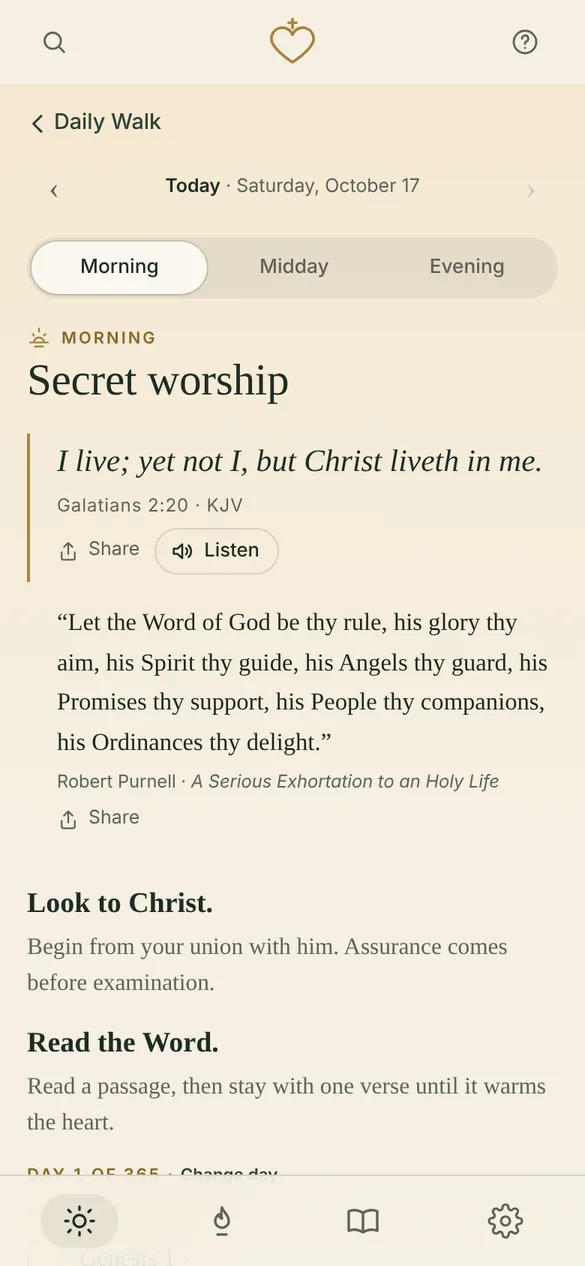
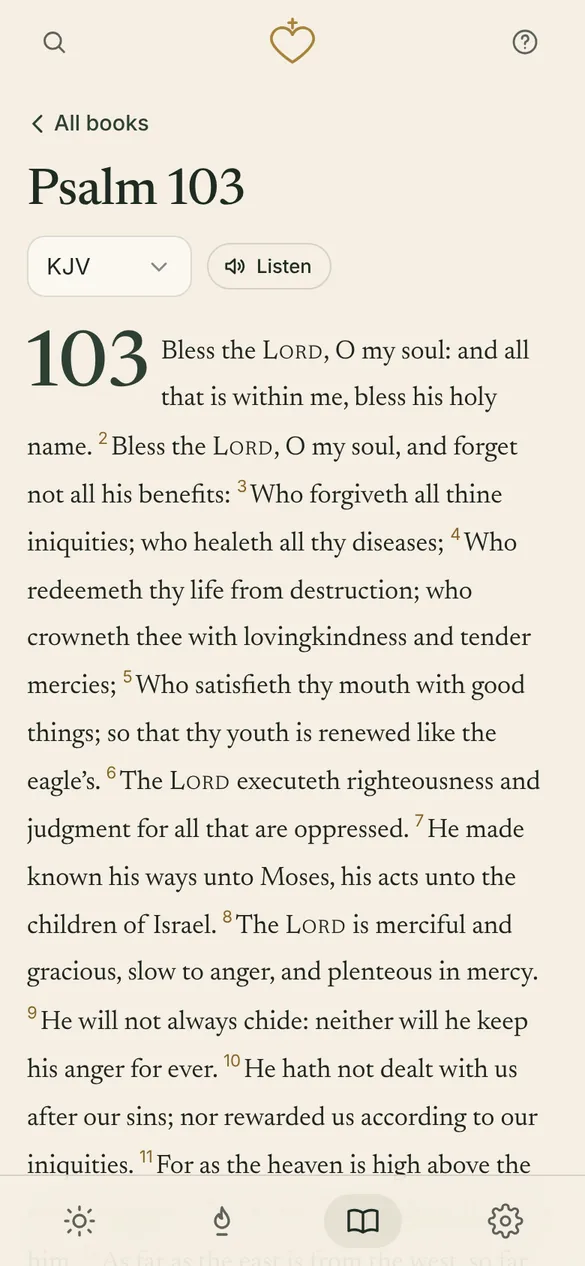
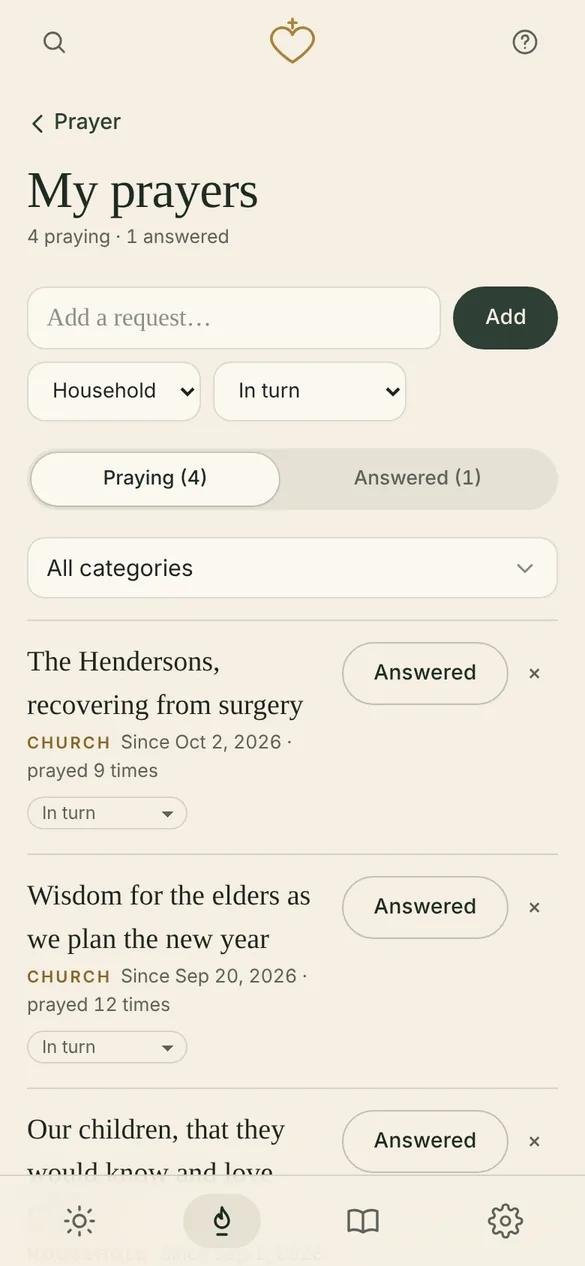
Begin, spend, and close the day with God.
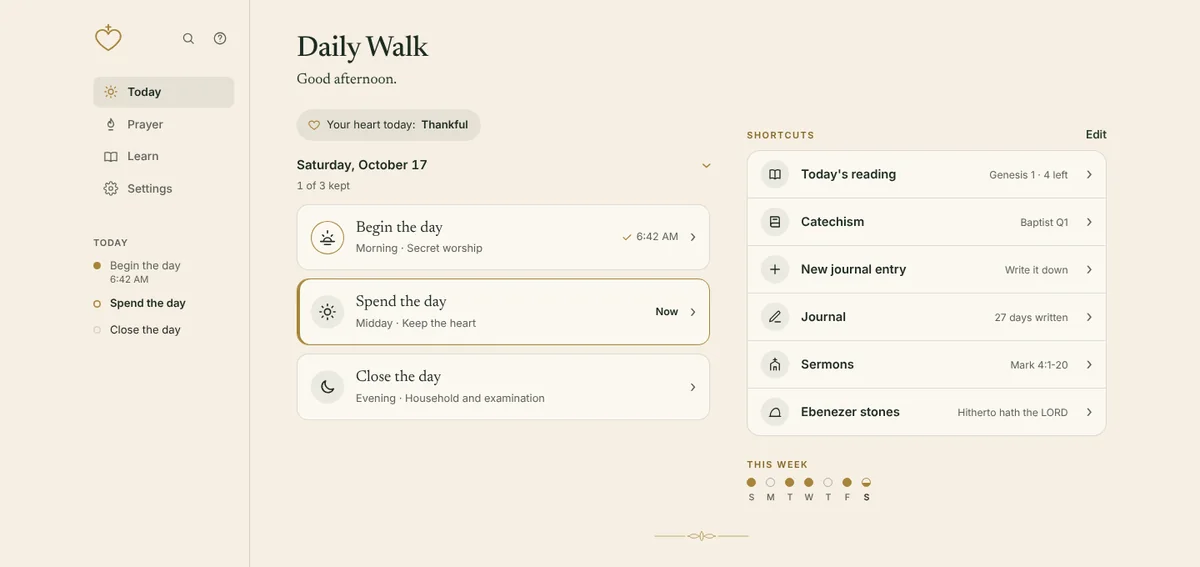
The app opens to the Daily Walk: a simple, unhurried pattern for each part of the day, always starting from Christ. Beside it are shortcuts you choose, like today’s reading or this week’s catechism question.
Begin the day
Look to Christ first, read a passage and stay with one verse, then pray.
Spend the day
A pause between duties to lift a short prayer and ask where the heart has wandered.
Close the day
Family worship with a psalm or hymn, then honest self-examination that begins with grace received.
The Lord’s Day
Prepare on Saturday, gather with the saints, then take the sermon home to your household.
The pattern follows Matthew Henry’s Directions for Daily Communion with God (1712).
Plain tools for the ordinary means.
Everything points you back to the Word, to prayer, and to your local church.
The Bible
Read any book and chapter in the King James, the Berean Standard, or the 1599 Geneva Bible. Keep your place, or tap Listen to hear it read aloud.
Reading plans
M’Cheyne’s calendar, the whole Bible in the order it happened, or the books you choose. Pick how much a day and which days you read.
Prayer
Keep a list of the people and needs you carry, pray for each in turn or on a set day, and write down how the Lord answered.
Sermon notes
Write down the passage, the main point, and Christ in the text, or snap a photo of your paper notes. Then go over it at home.
Catechism and confession
One question a week, practiced with flashcards, fill-in-the-blanks, and matching. The full confession is there to read alongside.
Family worship
A family catechism with big buttons and the question read aloud for children, and a psalm or hymn for each week from the 1650 Psalter and the Olney Hymns.
“How is your heart?”
Tell the app what season you’re in, whether it is well or hard, and receive counsel from the Puritans with Scripture to stand on.
A journal of providences
Your answers gather into a journal, and you can add an entry for any day. Star the mercies you want to remember, and look back over a week or a month.
Ebenezer stones
“Hitherto hath the LORD helped us.” Quiet markers of where the Lord has brought you, to give thanks. Never streaks to keep up.
Scripture memory
Keep the verses you’re hiding in your heart, and review them a little at a time.
Search everything
Find a word across your journal, prayers, and sermon notes, the catechisms and confessions, and the whole Bible.
Gentle reminders
Choose a reminder for morning, midday, and evening, and one on the Lord’s Day afternoon to take the sermon home.
Made in a Baptist church, for the whole Reformed family.
The app was built at a Reformed Baptist church, and the 1689 Confession and the Baptist Catechism come first. But Presbyterian and Reformed Christians are welcome here too. Choose the catechism and confession your church holds in Settings.
Included in the app
- Baptist Catechism 1693
- Westminster Shorter Catechism 1647
- Heidelberg Catechism 1563
- Second London Baptist Confession 1689
- Westminster Confession 1646
- Savoy Declaration 1658
Walk through the week together.
A pastor can set up the church in the app and invite members with a short code or a link. Then the whole congregation prepares for the same Lord’s Day.
- Plan the coming Sundays: the passage, sermon title, preacher, catechism question, and song
- Keep one church prayer list that members can pray through during the week
- Sermon notes come ready with the passage and preacher filled in
- Pastors and elders can see who has joined, and share leadership of the church page
What the church can’t see
A church never sees anyone’s journal, personal prayers, or notes. Pastors and elders see only each member’s name, email address, and when they joined and last opened the app.
Want to use it with your church?
Church features are free while we test them with a few congregations. Write to us and we’ll help you get started.
The same journal, on a bigger screen.
Open app.keepingtheheart.org on a laptop or desktop and sign in with the same email. Your journal, prayers, and notes are already there.
Write beside the guide
Each part of the day opens with its reading and questions side by side, so you can write while you read.
Read back through the days
Your journal, sermon notes, and the confession open as a list beside a reader. Move through them with the arrow keys.
Plan the Sundays ahead
Pastors see the coming Sundays at a glance, with the prayer list, people, and elders alongside.
What you write stays yours.
Your journal, prayers, and notes are private. Use the app without an account and everything stays on your phone. Or sign in with your email address, with no password to remember, and your journal is kept safe and shared across your phone, tablet, and computer.
Make it yours
Eighteen light and dark color themes, a different one each day if you like, an evening theme from 5 PM, and larger text sizes for easier reading.
No ads, no tracking
Nothing is sold, and nothing is there to keep you scrolling. The aim is to send you back to the Word and to your church.
Put it on your Home Screen.
There’s nothing to download from an app store. Open the app in your phone’s browser, then add it to your Home Screen so it opens like any other app.
iPhone or iPad
- Open app.keepingtheheart.org in Safari.
- Tap the Share button (the square with an arrow).
- Scroll down and tap Add to Home Screen, then Add.
- Open Keeping the Heart from your Home Screen.
Android
- Open app.keepingtheheart.org in Chrome.
- Tap the menu button (three dots) at the top right.
- Tap Install app or Add to Home screen.
- Open Keeping the Heart from your Home Screen.
Already in the app? Settings has an Install the app button that walks you through it. On iPhone, reminders only work after the app is added to your Home Screen. Have a church code? Open the app, then go to Settings and choose Your church.
Begin tomorrow morning.
Open the app tonight, add it to your Home Screen, and let the first thing you see tomorrow be a word about Christ.